

Doing hundreds of random MCQs feels productive, but it is rarely the fastest way to raise your MDCAT score. The students who improve quickest test themselves on purpose: the chapter they studied today, the questions they got wrong last week, the past-paper MCQs of their weakest topic, and full papers under exam timing.
That is exactly what the ePrepare Quiz Builder is for. It lets you build your own MDCAT practice test from any chapter or topic, choose where the questions come from, and decide how many MCQs, how much time and what kind of feedback you get. Below you will learn how it works in four simple steps, and then five smart ways to use it.
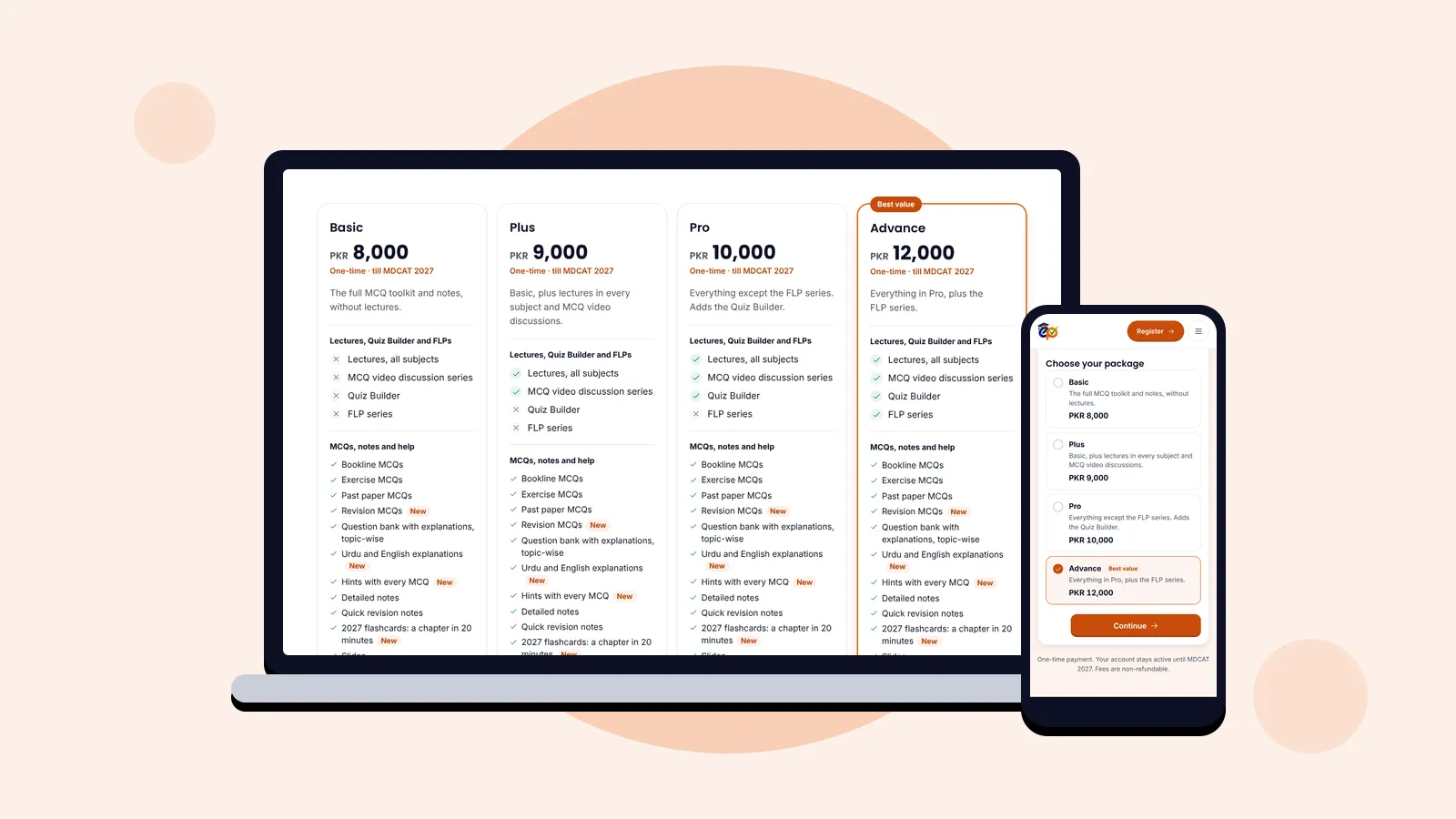
Who can use it: the Quiz Builder comes with the Pro and Advance packages. The one-tap full-length paper (way 5) is part of Advance. Compare the packages.
The Quiz Builder at a glance
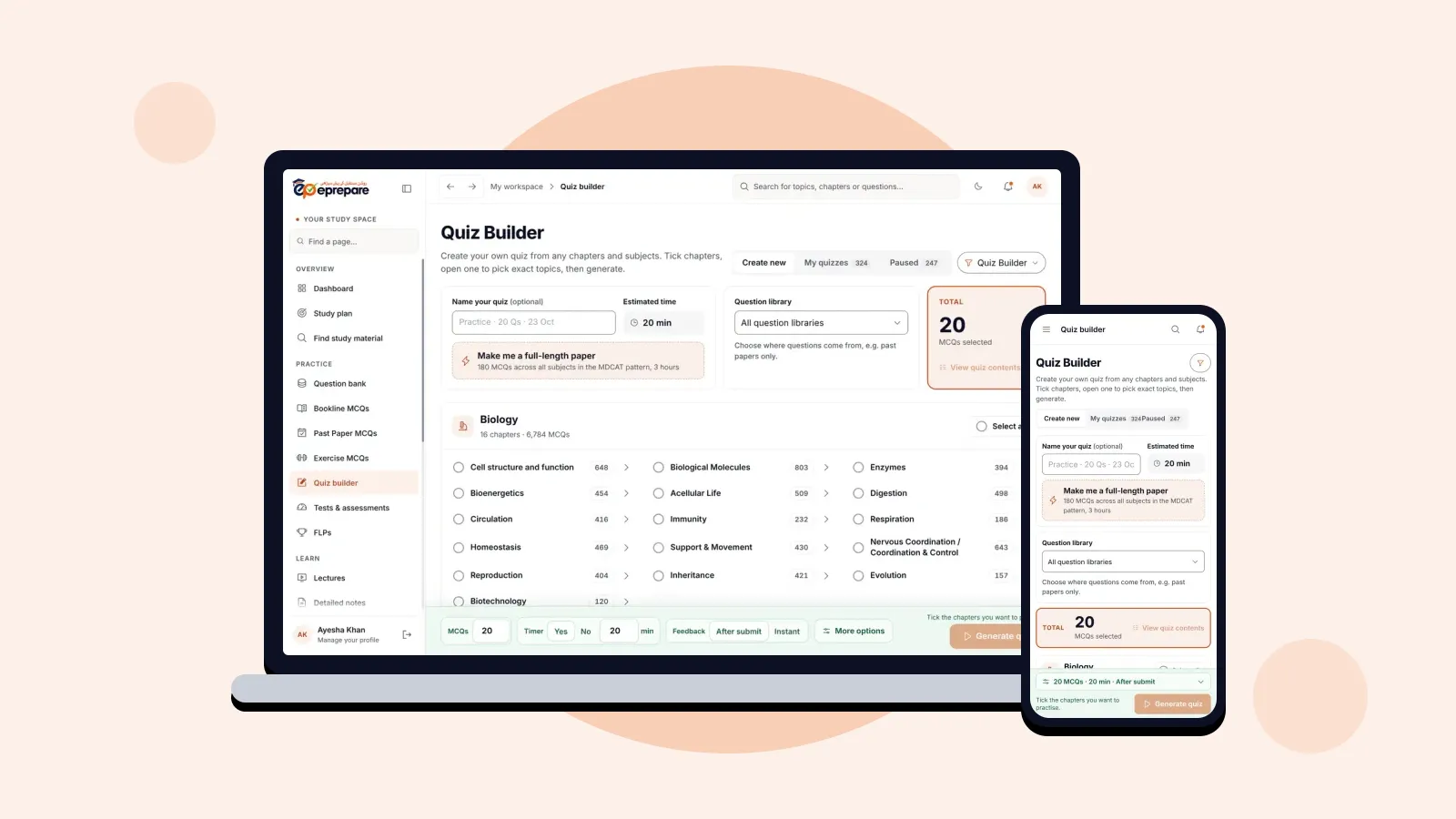
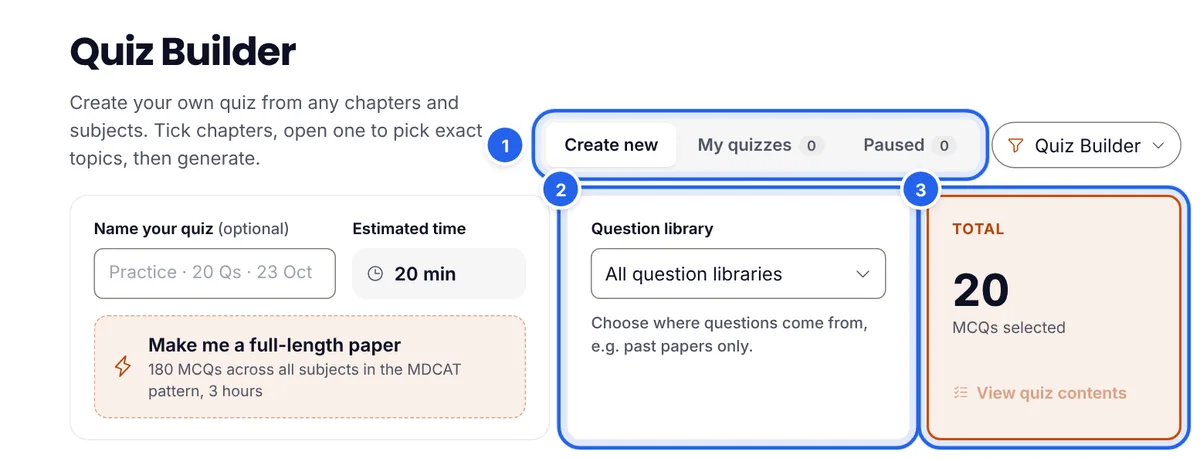
Open Quiz builder from the menu. At the top you will find three tabs (1): Create new to build a quiz, My quizzes for the quizzes you have made, and Paused for quizzes you stopped halfway, so you can continue exactly where you left off.
Next to that, the Question library (2) decides where your MCQs come from, and the Total box (3) always shows how many MCQs your quiz will have. You can also give your quiz a name and see its estimated time.
Build any quiz in four steps
Step 1: Tick the chapters
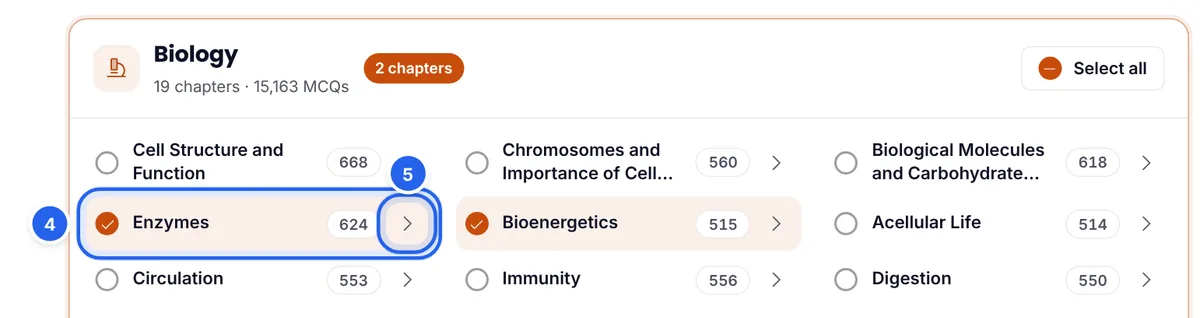
Each subject lists its chapters with the number of MCQs available. Tick the chapters you want (4); the number next to each chapter is how many questions it holds. Use Select all for a whole subject.
Step 2: Pick exact topics (optional)
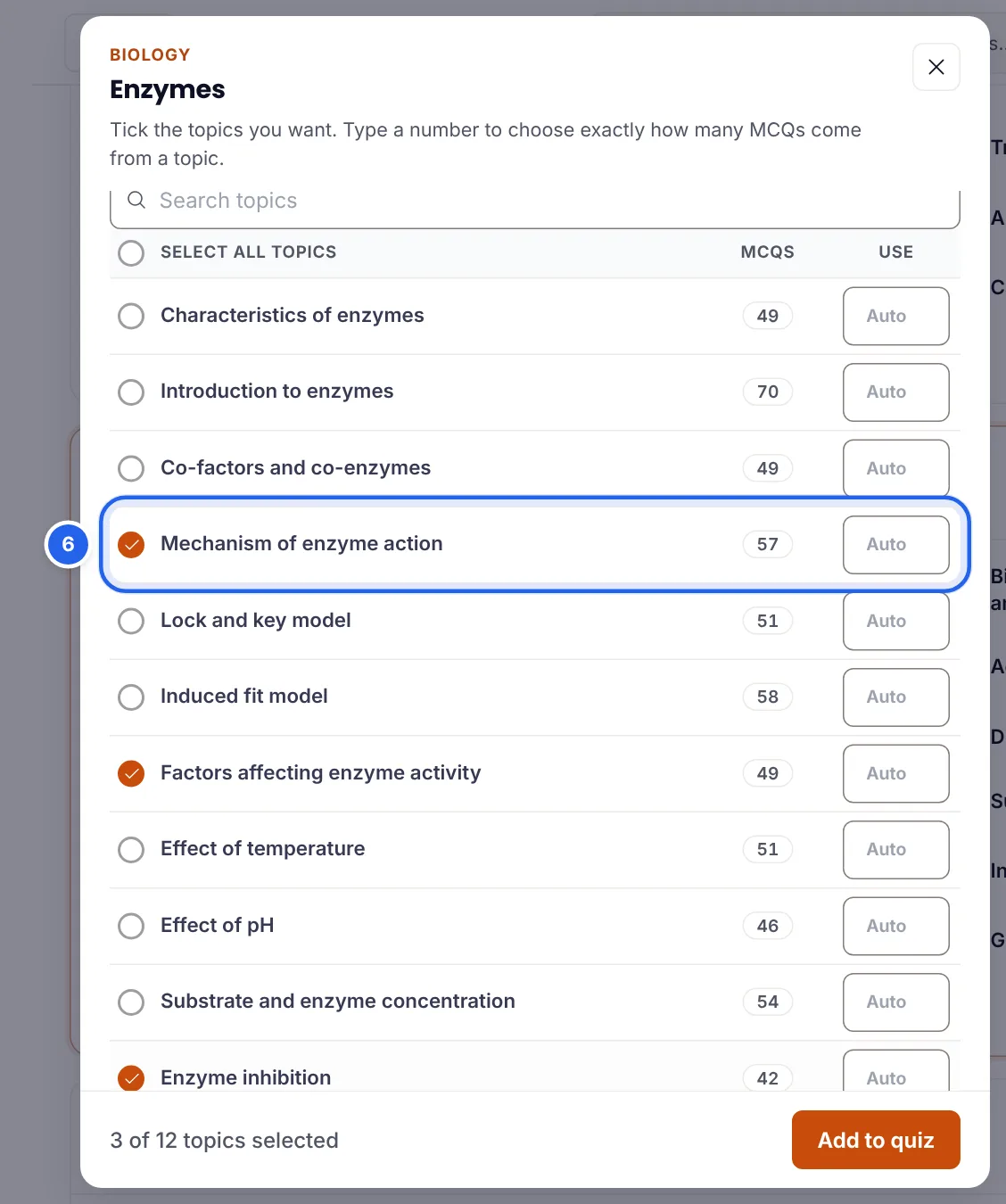
Want only part of a chapter? Press the arrow beside it (5). A list of the chapter's topics opens, each with its number of MCQs. Tick the topics you need (6). In the Use column you can type exactly how many MCQs should come from a topic, or leave it on Auto. Press Add to quiz when you are done.
Step 3: Set MCQs, timer and feedback
The bar at the bottom of the page holds your test settings:
- MCQs (7): how many questions, up to 180 in one test.
- Timer (8): Yes or No, and the number of minutes.
- Feedback (9): After submit shows answers at the end, like the real exam; Instant shows the answer and explanation after every question, which is better while you are still learning.
- More options (10): filters for previous activity, difficulty and thinking level (see way 2).

Step 4: Generate your quiz
Press Generate quiz (11). Your test is ready in a moment and saved under My quizzes. If you stop in the middle, it waits for you under Paused.
5 smart ways to use the Quiz Builder
Now the useful part. Each of these is a different kind of practice with a different job. Use all five across a week and you cover learning, revision, exam skill and stamina.
1. The same-day chapter check
When: right after you finish a lecture or read a chapter.
- Tick only the chapter you studied today.
- Set 20 to 30 MCQs and switch the timer off, or give a generous limit.
- Choose Instant feedback, so every answer comes with its explanation.
- In More options, keep Previous activity on New first to see questions you have not met yet.
With Instant feedback on, More options also offers Try until correct: a wrong option is crossed out and you try again, which makes you think the question through instead of just reading the answer.
Why it works: testing yourself straight after learning shows what actually stuck while the chapter is still fresh, and the explanations fix gaps on the same day.
2. Mistakes-only revision
When: once or twice a week.
- Tick the chapters you have already covered, even across subjects.
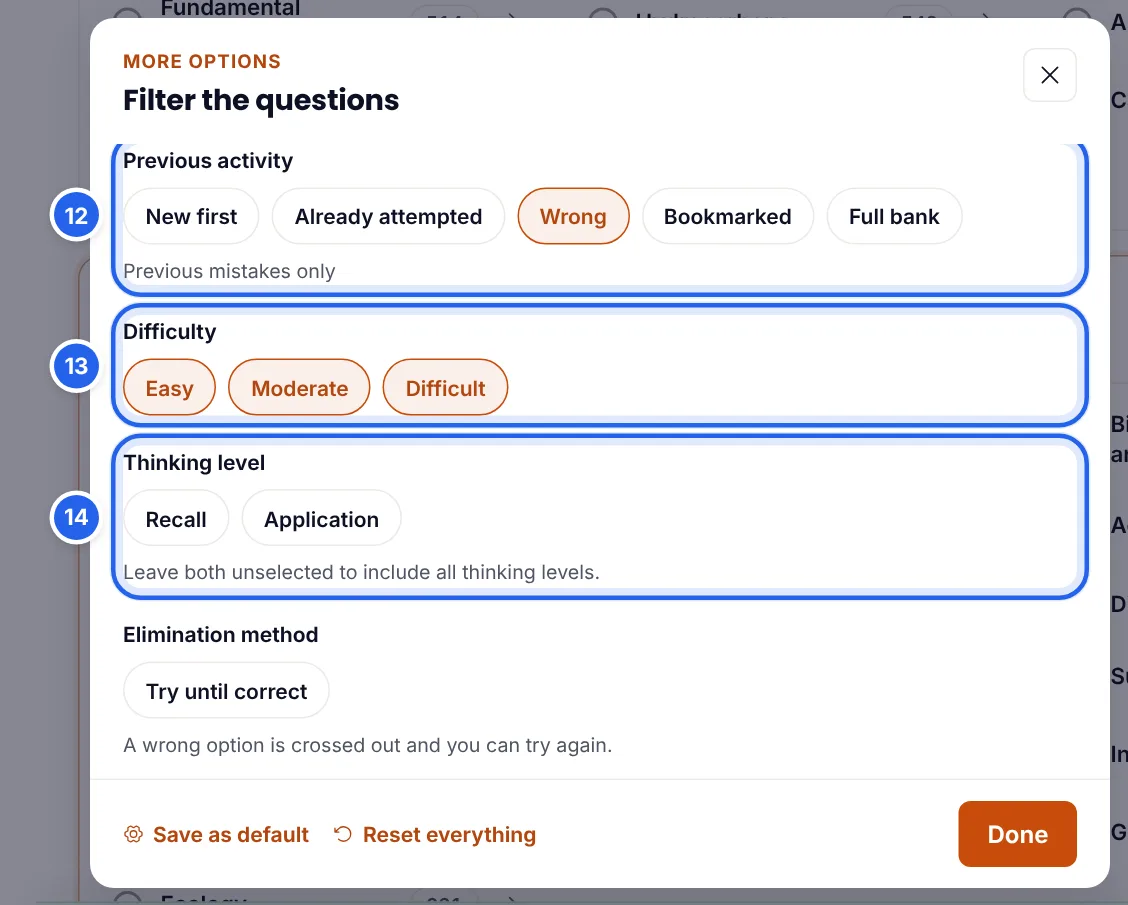
- Open More options and set Previous activity to Wrong (12). The quiz will contain only questions you got wrong before.
- Keep feedback on After submit to test yourself honestly.
The same panel lets you narrow by Difficulty (13) and Thinking level (14): Recall questions test facts, Application questions test whether you can use them. You can also choose Bookmarked to practise the questions you saved, or Already attempted to go over everything you have seen. Press Save as default if you want these filters every time.
Why it works: your own mistakes are the most valuable questions you have. Getting them right a second and third time turns lost marks into marks you keep.
3. Timed past papers, chapter by chapter
When: after a chapter is learned and practised.
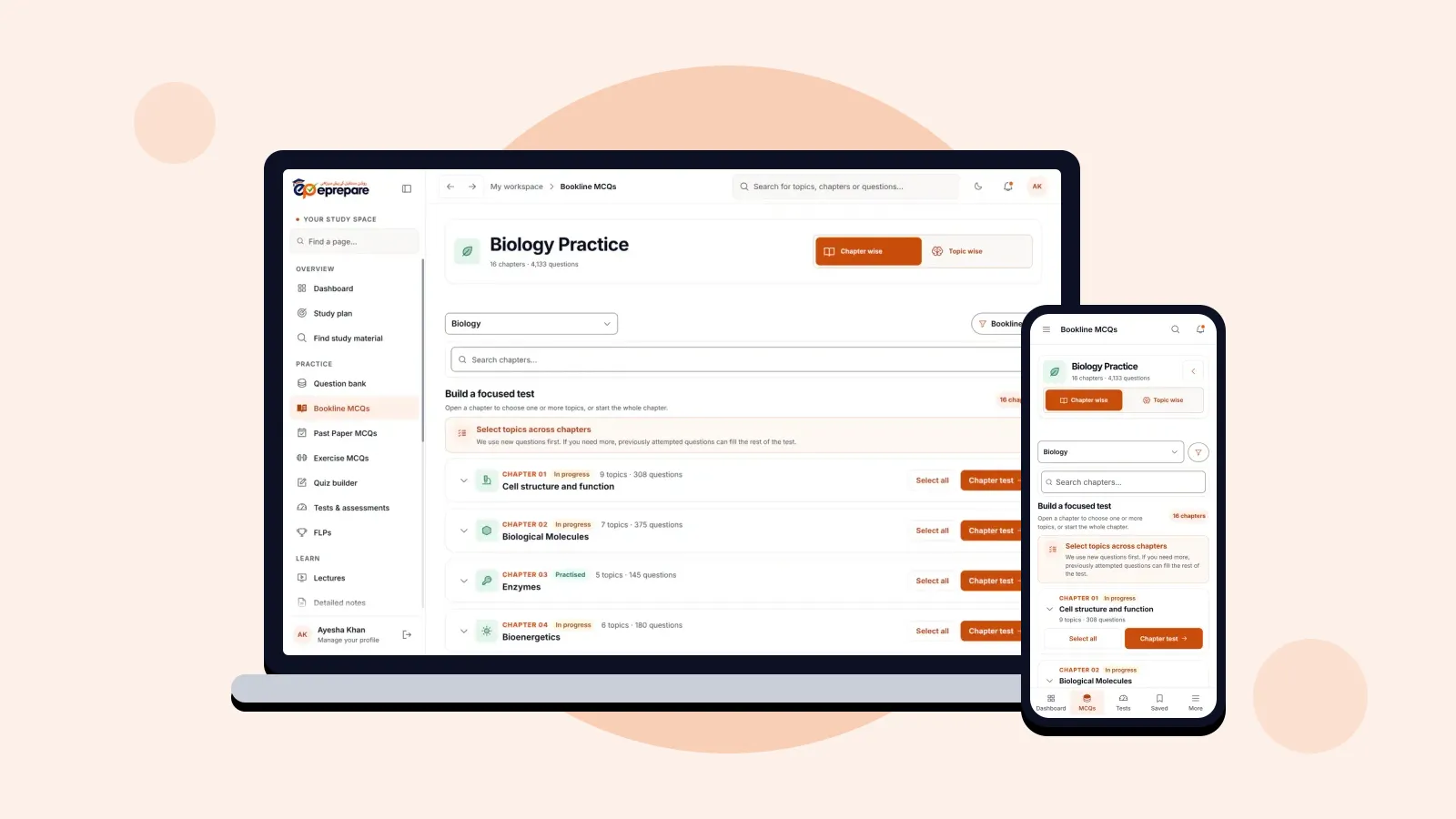
- Open the Question library and choose Past Paper MCQs (15). The library also offers Bookline MCQs, the Practice Question Bank and Exercise MCQs.
- Tick the chapters you want to test.
- Switch the timer on. About a minute per MCQ is a good starting pace; the estimated time shows the total.
- Use After submit feedback, exactly as in the exam.
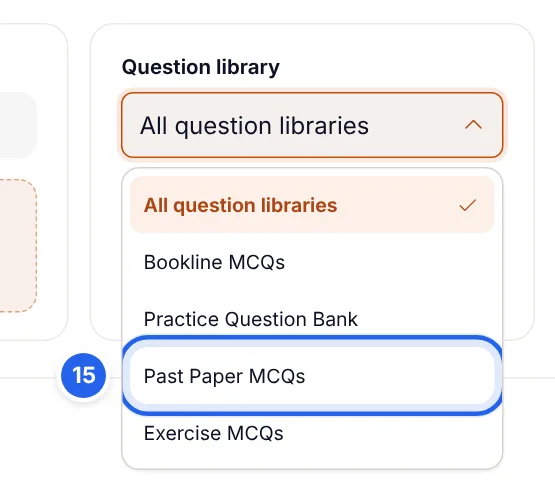
Why it works: past papers show how examiners really ask about a topic. Doing them chapter by chapter, against the clock, builds both accuracy and speed before you face a full paper.
4. The weak-topic drill
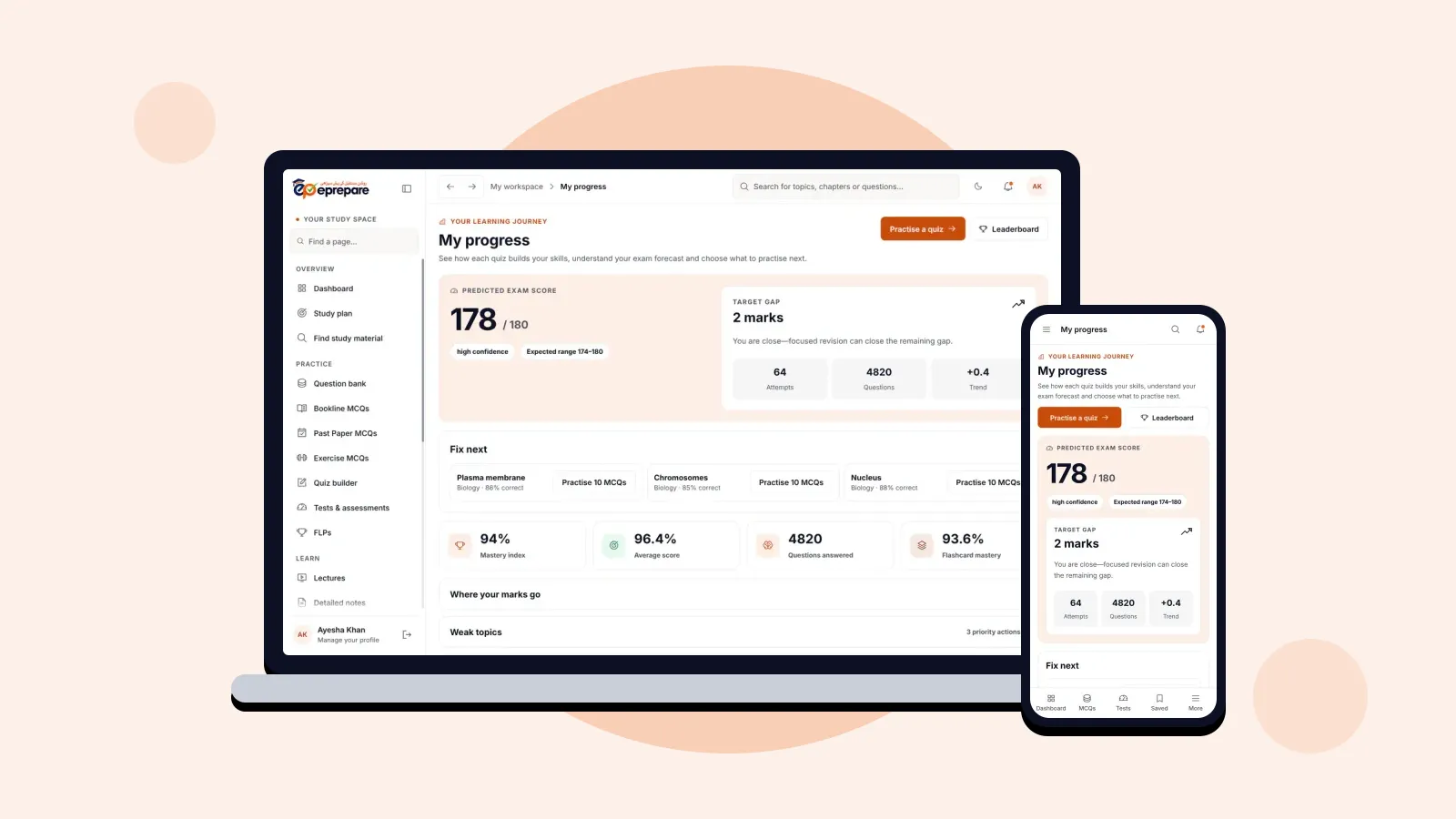
When: when your progress page or syllabus map shows a weak spot.
- Open the weak chapter with its arrow and tick only the topics you struggle with.
- Type a number in the Use column to give the hardest topic more questions.
- In More options, choose Difficult and the Application thinking level to push yourself.
- Press View quiz contents under the total to check how the MCQs are split before you generate.
Why it works: twenty focused questions on the topic that costs you marks do more for your score than a hundred on topics you already know.
5. A full-length paper in one tap (Advance)
When: every week or two, and more often in the final month.
Press Make me a full-length paper (16). The Quiz Builder sets up 180 MCQs across all subjects, names the quiz and sets a 180-minute timer; the total (17) shows 180.
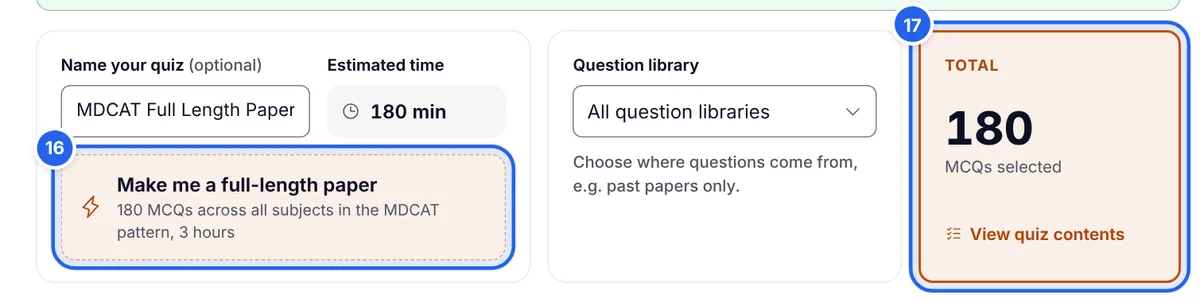
Press View quiz contents to see the split: 81 Biology, 45 Chemistry, 36 Physics, 9 English and 9 Logical Reasoning, the subject balance of recent MDCAT papers. You can change any number before you generate.
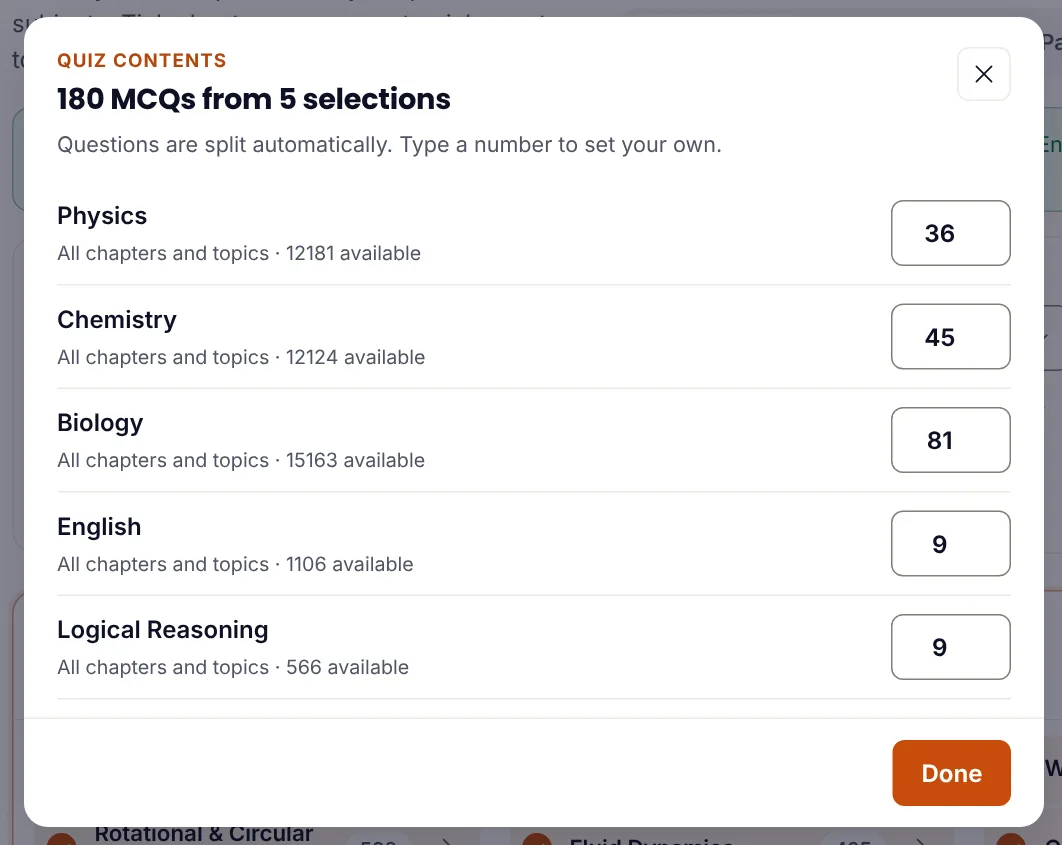
Why it works: three hours of focus is a skill of its own. Regular full papers build stamina and timing, and show which subject is costing you the most marks.
How many MCQs and how much time?
| Goal | MCQs | Timer | Feedback |
|---|---|---|---|
| Same-day chapter check | 20–30 | Off or generous | Instant |
| Mistakes-only revision | 30–50 | Optional | After submit |
| Timed past papers | 30–60 | About 1 minute per MCQ | After submit |
| Weak-topic drill | 15–25 | Optional | Instant |
| Full-length paper | 180 | 180 minutes | After submit |
A simple weekly routine
- Every study day: a same-day chapter check on what you learned.
- Twice a week: mistakes-only revision on all covered chapters.
- Once a week: timed past papers on the chapters you finished, plus a weak-topic drill.
- Every one to two weeks: a full-length paper, more often in the final month.
If you follow a study plan, use the Quiz Builder for the extra practice around it.
Common mistakes to avoid
- Only doing easy chapters. Tick the chapters you avoid, not just the ones you enjoy.
- Always using Instant feedback. It is great for learning, but switch to After submit to practise real exam conditions.
- Skipping the explanations. A wrong answer you do not understand will be wrong again in the exam.
- Making every test huge. Short, focused tests done every day beat one giant test you keep postponing.
- Never sitting a full paper. Accuracy in short quizzes does not guarantee stamina over three hours.
Frequently asked questions
Which packages include the Quiz Builder?
Pro (PKR 10,000) and Advance (PKR 12,000). The one-tap full-length paper is part of Advance. Every package includes Bookline MCQs, past papers and the question bank to practise chapter by chapter.
How many MCQs can one test have?
Up to 180, the same as a full MDCAT paper.
Can I practise only past-paper MCQs?
Yes. Choose Past Paper MCQs in the Question library, then tick the chapters you want.
Can I stop a quiz and finish it later?
Yes. Every quiz is saved. A quiz you leave halfway appears under Paused, and you continue exactly where you stopped.
What is the difference between Instant and After submit feedback?
Instant shows the correct answer and explanation after each question, which is best while learning. After submit shows everything at the end, which is best for exam practice.
Where do my wrong answers go?
They are saved in Wrong MCQs, and you can build a whole quiz from them with Previous activity set to Wrong.
Start building smarter tests
The Quiz Builder turns practice from "doing MCQs" into practising exactly what will raise your score. Try way 1 today on the chapter you just studied, and add the others through the week. New to ePrepare? Register for MDCAT 2027, and read about every ePrepare feature and how it helps.