

Ask any MDCAT topper from Khyber Pakhtunkhwa how they prepared and you will hear the same advice: know your textbooks inside out. Many MDCAT questions test a single line of the book: a definition, an example, a number, an exception buried in a paragraph most students skim. Reading the book once is not enough to catch them. Testing yourself on every line is.
That is exactly what Bookline MCQs on ePrepare are for. Every line of the KPK Biology, Chemistry and Physics textbooks is turned into MCQs, filed chapter by chapter and topic by topic in the same order as the book. This guide shows how to use them step by step, and how to plan your textbook coverage so nothing in the syllabus surprises you on exam day.
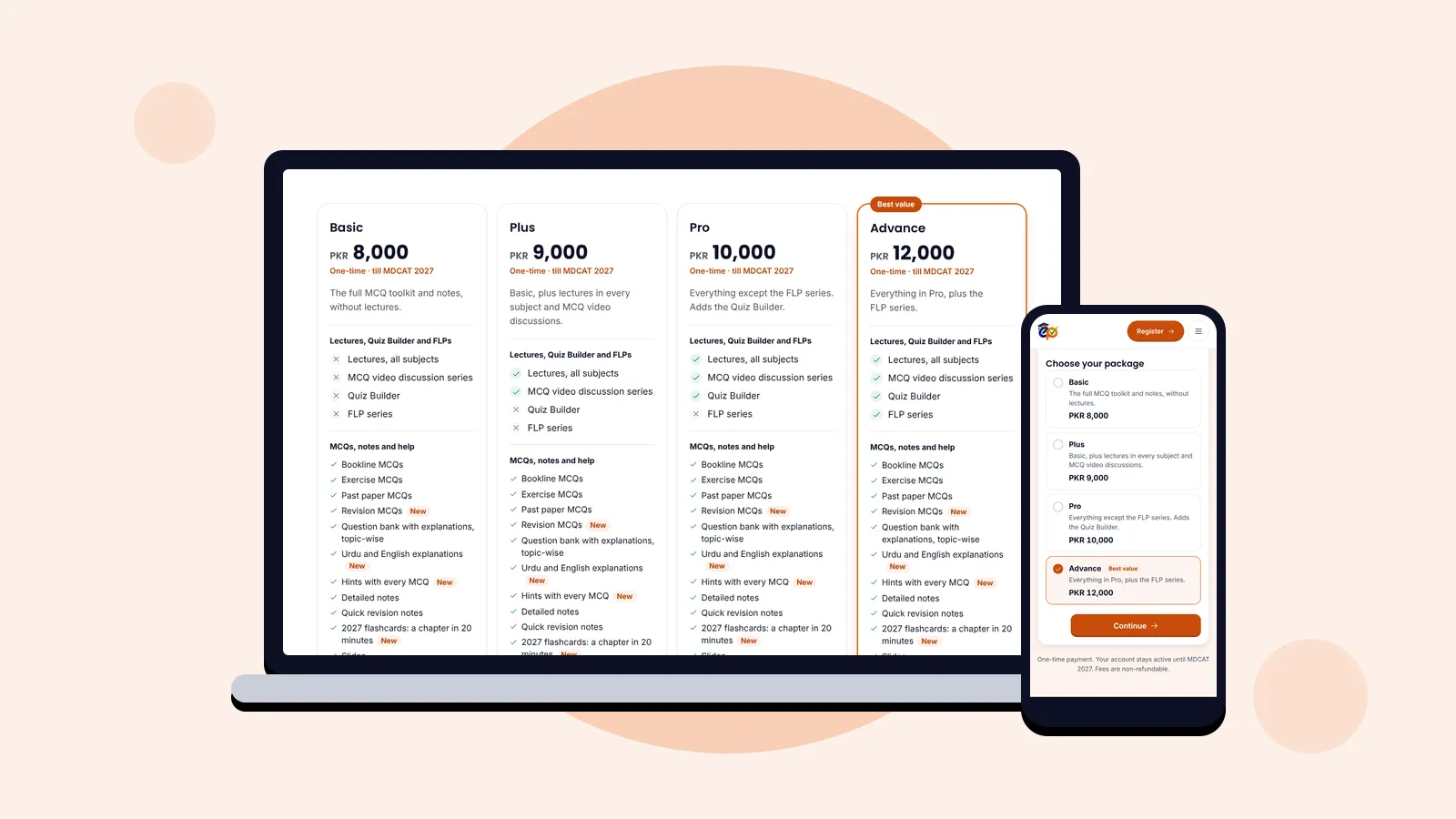
Who can use it: Bookline MCQs are part of every ePrepare package, from Basic to Advance. Compare the packages.
What are Bookline MCQs?
Bookline MCQs are practice questions written from the textbook itself, line by line. Where a normal question bank picks the "important" topics, Bookline covers the whole book, so the small facts that decide close merit lists are covered too.
- Same order as your book: chapters and topics follow the KPK textbooks, so you always know which pages you are being tested on.
- Every line, not just highlights: definitions, examples, figures, tables and exceptions all become questions.
- An explanation with every MCQ, so a wrong answer sends you straight back to the right idea.
- Progress on every chapter and topic, so you can see what you have covered and what is left.
Step 1: Open Bookline and choose a subject
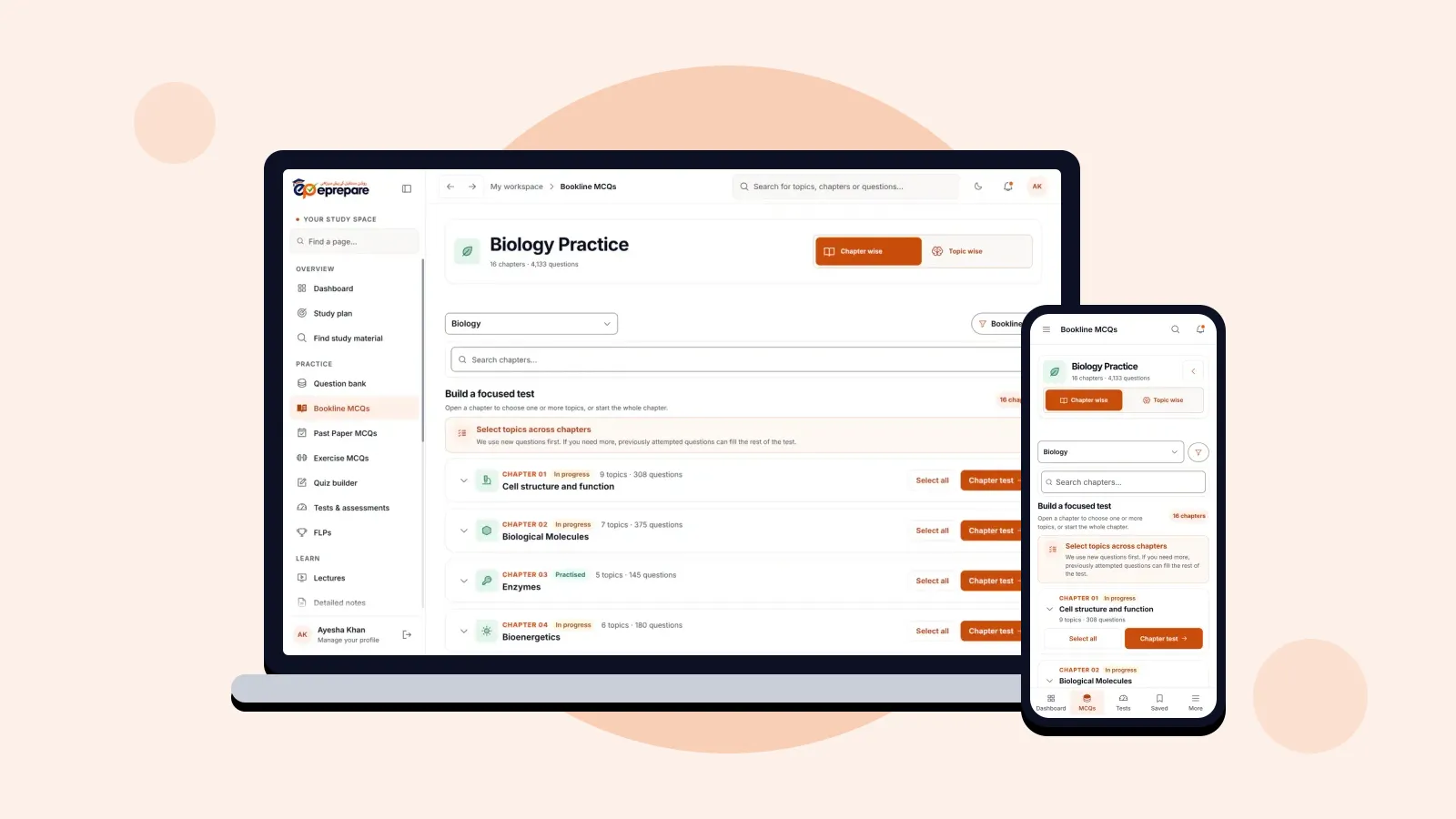
Open Bookline MCQs from the menu and pick Biology, Chemistry or Physics. You land on the subject's chapter list.
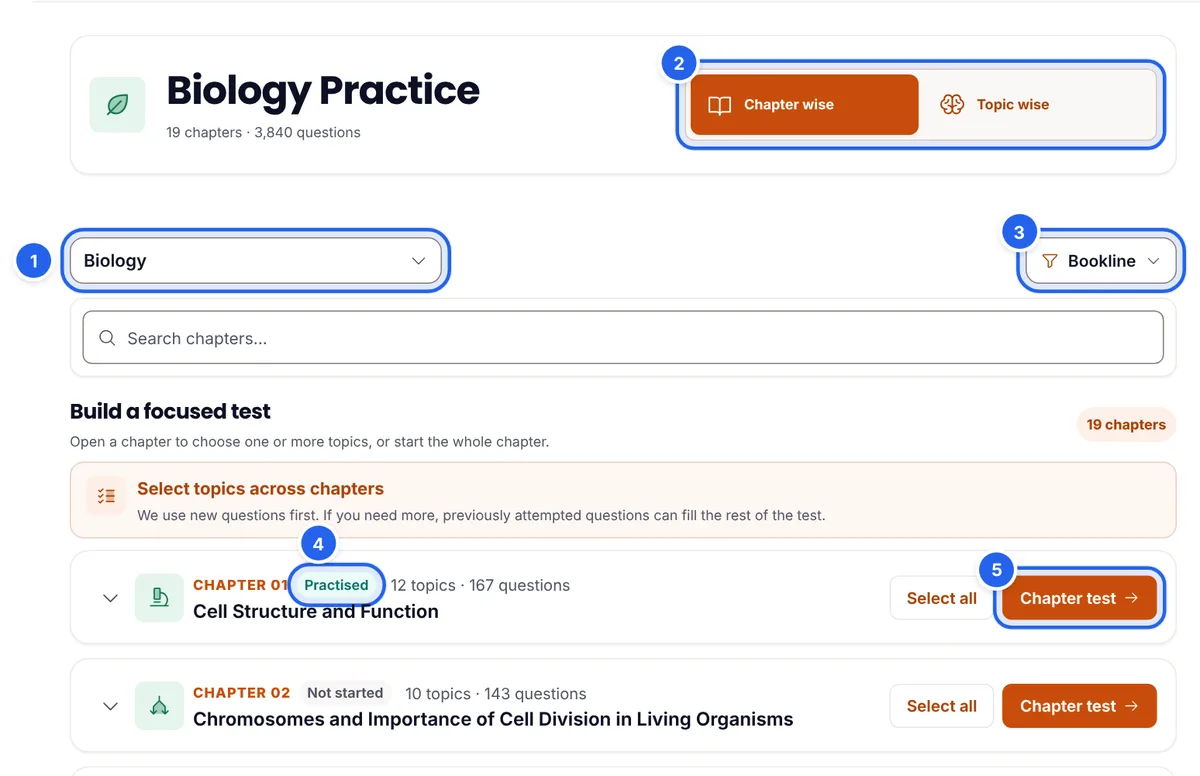
- Subject (1): switch between Biology, Chemistry and Physics at any time.
- Chapter wise or Topic wise (2): see the book chapter by chapter, or as one list of topics (Step 5).
- Question source (3): this shows Bookline. Open it to switch to the question bank, past papers, exercise MCQs or the Quiz Builder without losing your place.
- Chapter status (4): Not started, In progress, Practised or Complete, so you can see your textbook coverage at a glance.
- Chapter test (5): a test on the whole chapter in one tap.
Step 2: Pick exact topics (or the whole chapter)
Studied only part of a chapter today? Open the chapter with the arrow beside it. Its topics appear in the same order as the book, each with its number of questions. Tick the ones you covered (6). You can tick topics from several chapters of the same subject; a bar at the bottom keeps count and shows how many questions are available.
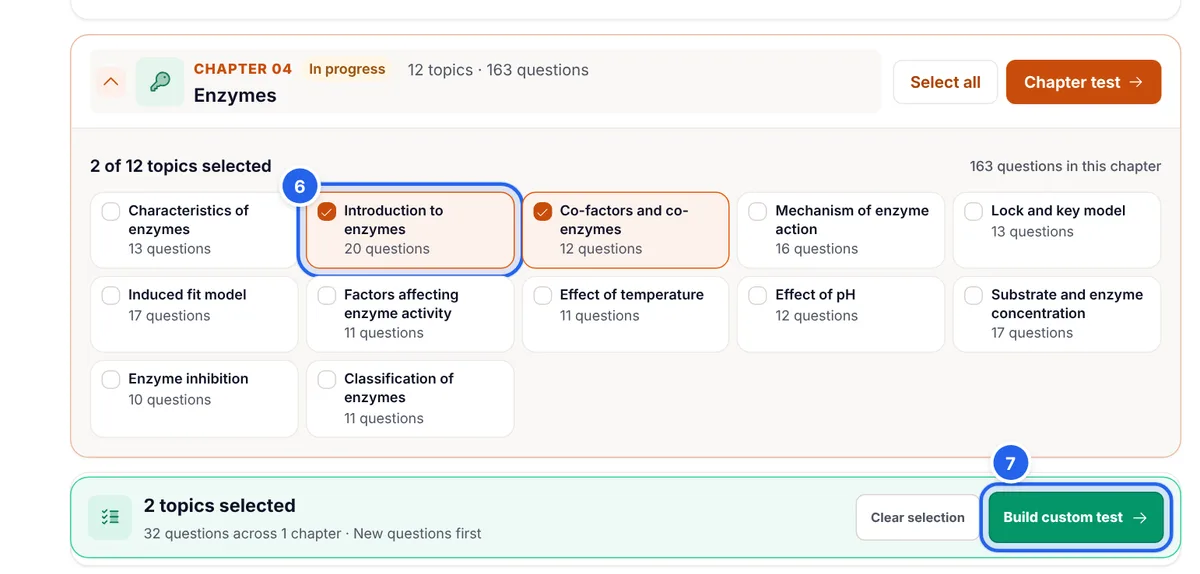
Press Build custom test (7) when you are ready. To test the whole chapter instead, press Select all or Chapter test.
Step 3: Set up your test
Whichever way you start, a short setup window lets you choose what kind of test you want.
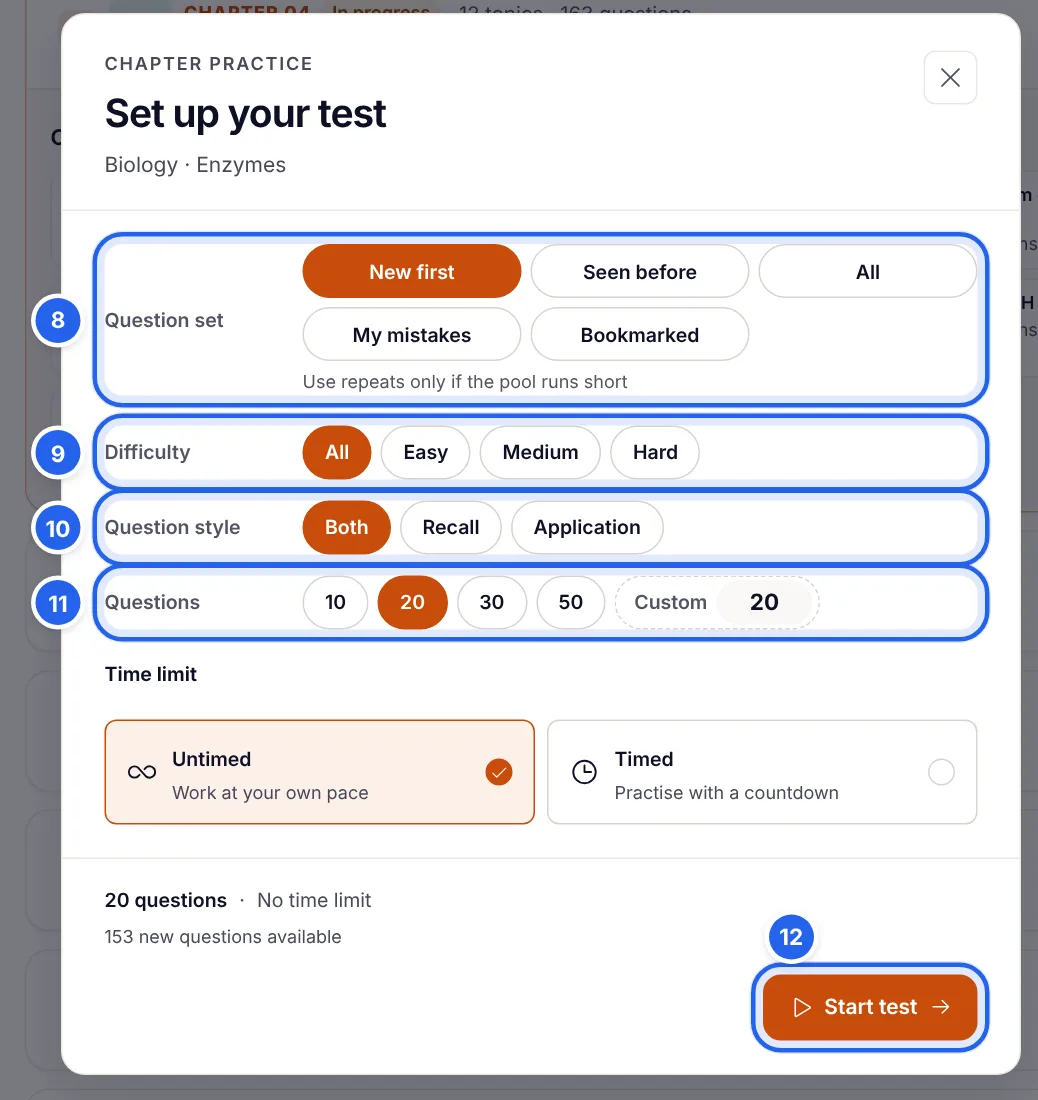
- Question set (8): New first gives you questions you have not seen yet, and only uses repeats if the pool runs short. Seen before revises questions you have already met, My mistakes retests the ones you got wrong, and Bookmarked uses the questions you saved.
- Difficulty (9): All, Easy, Medium or Hard.
- Question style (10): Recall questions test the facts in the line; Application questions test whether you can use them. Choose Both for a balanced test.
- Questions (11): 10, 20, 30, 50 or a custom number.
- Time limit: Untimed to learn at your own pace, or Timed to practise with a countdown.
The bottom of the window shows how many new questions are available. Press Start test (12).
Step 4: Answer, read the explanation, and go back to the book
In Bookline practice you see the result as soon as you answer. Your answer is locked, the correct option turns green, and the explanation appears straight away (13).
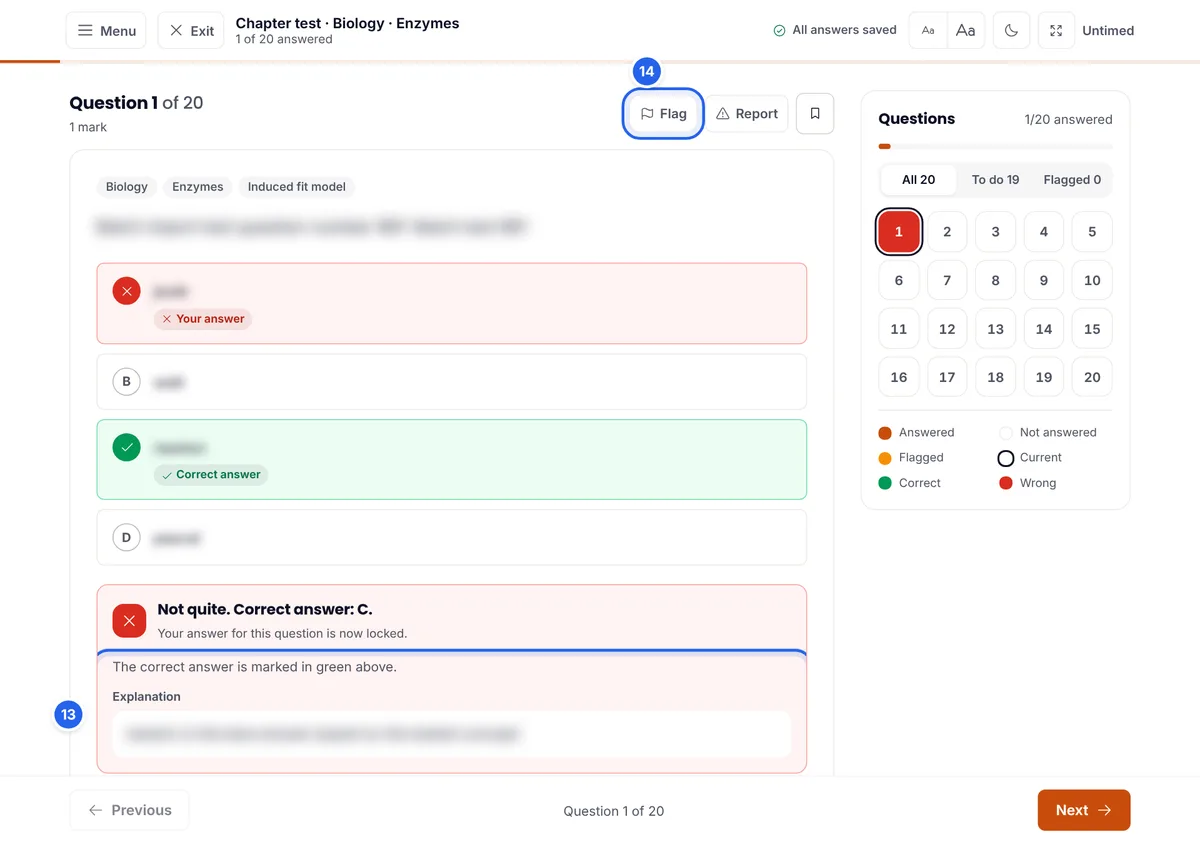
- Read every explanation, even when you were right. It confirms you were right for the right reason.
- Flag (14) a question to come back to it before you finish. The panel on the right shows which questions are answered, flagged, correct and wrong.
- Use the keyboard on a laptop: press A to D to choose and the arrow keys to move between questions.
- Where available, Hint gives a small clue without giving the answer away, and Urdu explanation explains the idea step by step in easy Urdu.
The line-by-line habit: for every question you miss, open your textbook and find the exact line it came from. Underline it. Those underlined lines become your personal revision list for the final weeks.
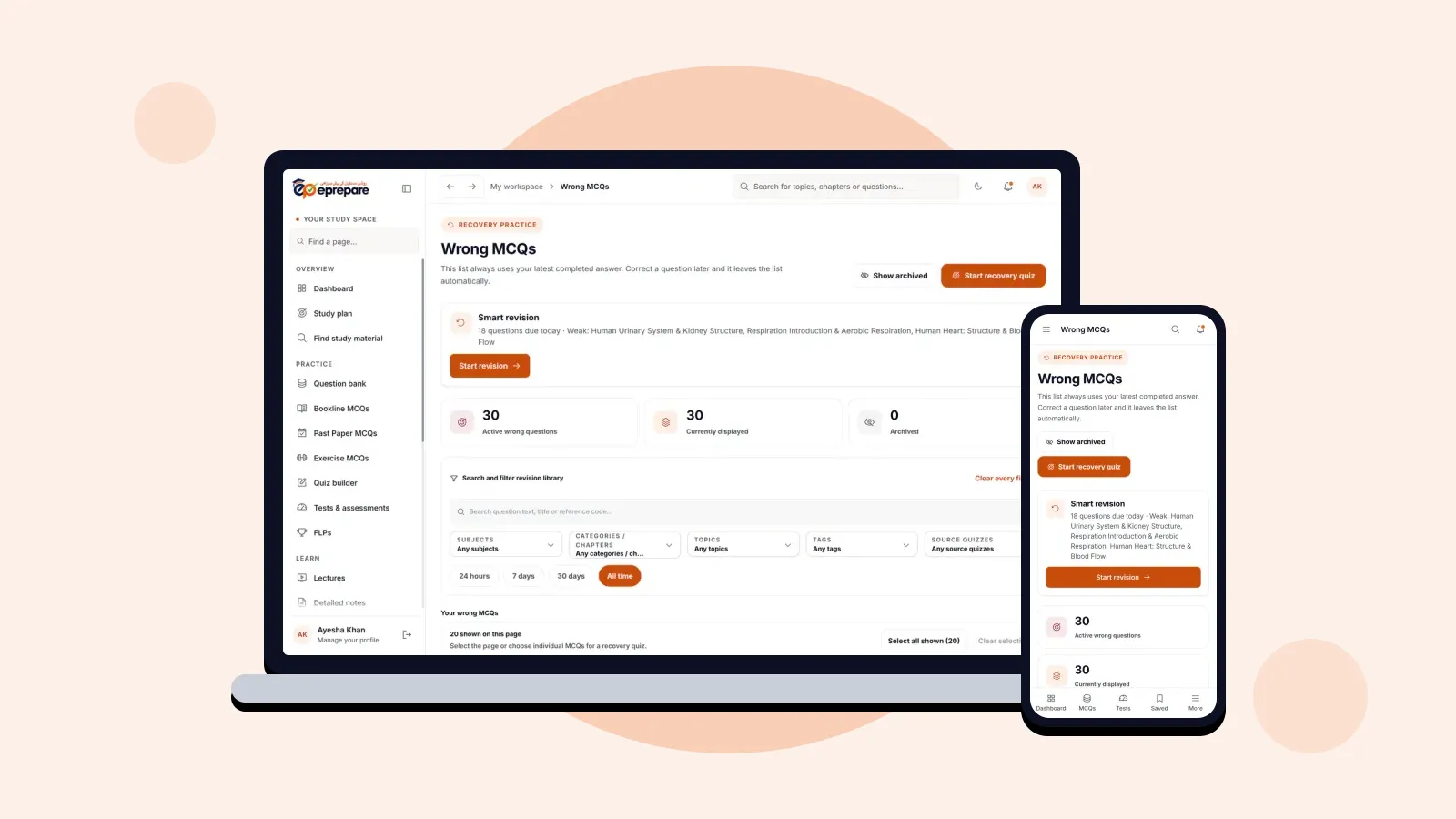
Every question you get wrong is saved to Wrong MCQs automatically, and smart revision brings it back on a spaced schedule. Read how in Wrong MCQs and smart revision.
Step 5: Track your coverage topic by topic
Switch to Topic wise to see every topic in the subject as one list, with your progress on each.
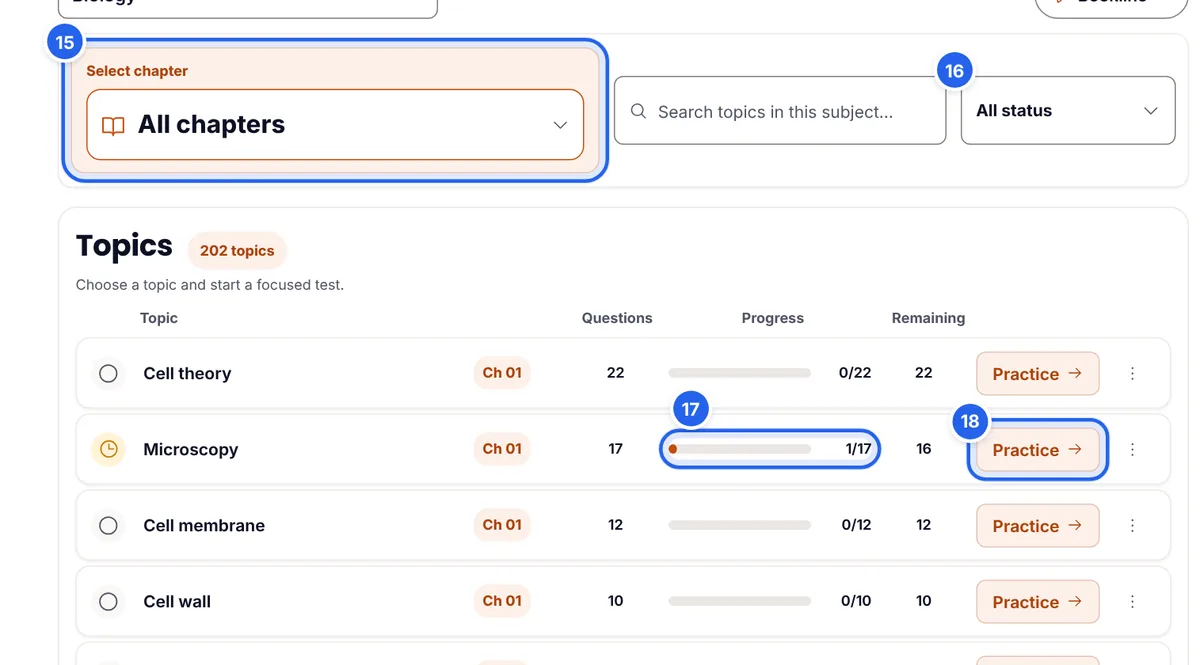
- Chapter (15): show all topics, or one chapter's topics.
- Status filter (16): show only topics that are Not started, In progress, Practised or Complete. "Not started" is a quick way to find the parts of the book you have not touched.
- Progress and remaining (17): how many of the topic's questions you have attempted, and how many are left.
- Practice (18): start a test on that topic straight away.
How to cover a KPK textbook line by line
Bookline works best as part of a simple loop for every chapter:
- Learn the chapter. Read it in the textbook, or watch the lecture and read the detailed notes. Do not try to test yourself on pages you have not studied yet.
- Same day: topic tests. Tick only the topics you covered today and take a 20-question test with New first. Untimed is fine at this stage.
- Close the gaps. For each mistake, find the line in the book, underline it and read the paragraph around it.
- End of the chapter: chapter test. Take a 30 to 50-question chapter test with New first until the remaining count for the chapter is close to zero.
- A few days later: My mistakes. Retest only your wrong answers from that chapter.
- Then move outwards: exercise MCQs for the back-of-chapter questions, past papers to see how examiners ask about the chapter, and finally mixed tests.
If you use a study plan, it can schedule Bookline practice for you after each lecture, chapter by chapter.
How many Bookline MCQs a day?
| Stage | Daily Bookline MCQs | Settings |
|---|---|---|
| First reading of the books | 40–60 | New first, untimed |
| Second round of the syllabus | 60–100 | New first or All, timed |
| Final month | As revision only | My mistakes, timed |
These are starting points, not rules. Quality matters more than numbers: 40 MCQs with every mistake traced back to the book beat 150 rushed ones.
Practise on your phone
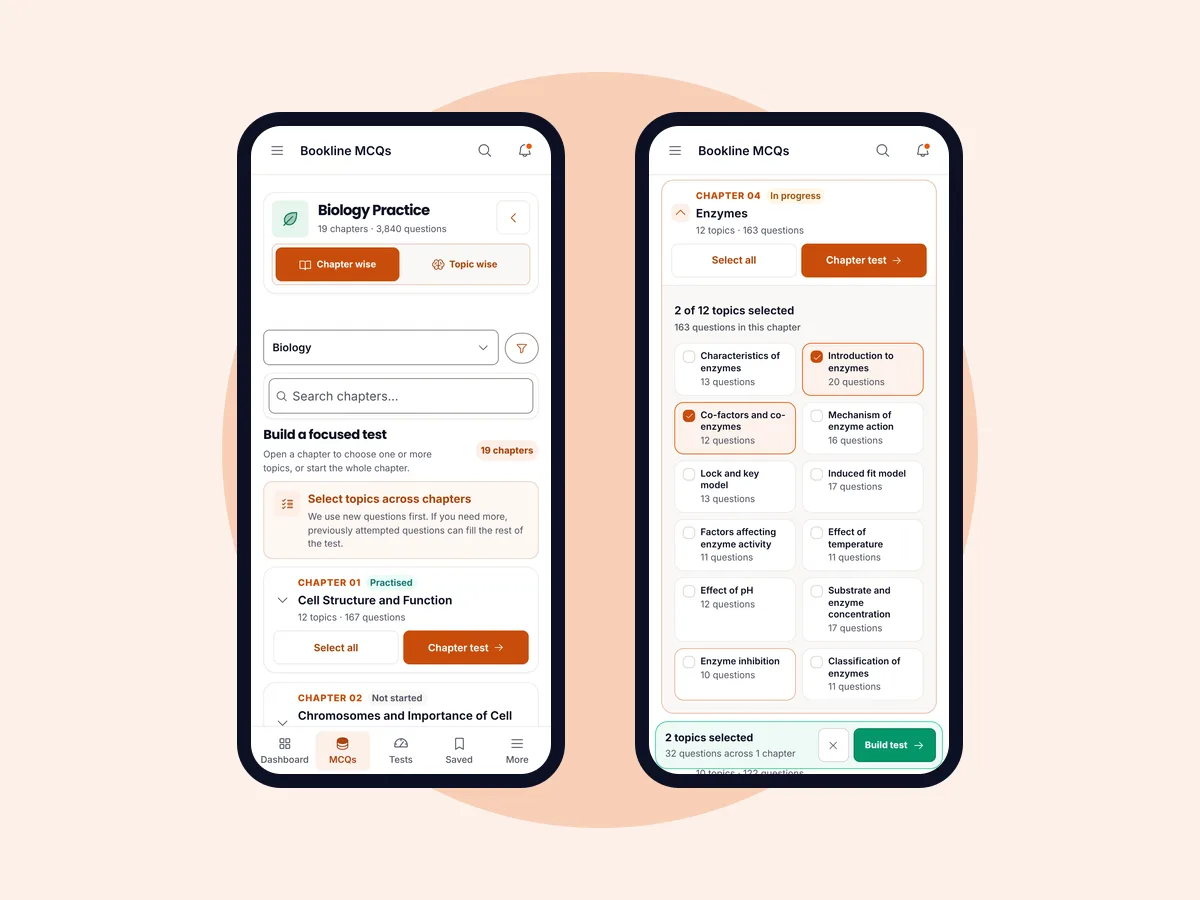
Bookline works the same on a phone, which makes it easy to finish a topic test on the way to college or between classes.
Common mistakes to avoid
- Testing before reading. Bookline checks what you learned from the book; it cannot replace reading it.
- Doing only your favourite chapters. Use the status filter to find "Not started" topics and give them time.
- Ignoring explanations. A wrong answer you do not understand will be wrong again in the exam.
- Never going back to the textbook. The value of Bookline is finding the exact line you missed. Underline it.
- Repeating the same questions. Keep New first on until a chapter is covered, then switch to My mistakes for revision.
Frequently asked questions
Which textbooks do Bookline MCQs follow?
The KPK textbooks, line by line, for Biology, Chemistry and Physics. Exercise MCQs separately cover the KPK, Federal and Punjab books.
Are Bookline MCQs useful if I am not from KPK?
Yes. The core concepts are the same across boards, and line-by-line practice builds the habit of reading the textbook closely. Students from other provinces can add exercise MCQs and past papers from their own board.
Which packages include Bookline MCQs?
All of them: Basic, Plus, Pro and Advance.
Can I make a test from several chapters?
Yes. Open each chapter and tick the topics you want, across chapters of the same subject, then press Build custom test. To mix subjects in one test, use the Quiz Builder (Pro and Advance).
Will I see the same questions again?
Not if you keep New first: you get questions you have not seen, and repeats are only used if the chapter runs out. Choose Seen before or My mistakes when you want to revise.
Do Bookline MCQs have explanations?
Yes. Every MCQ comes with an explanation, shown as soon as you answer in practice.
Make the textbook your strongest weapon
The students who do best in MDCAT are rarely the ones who studied the most books. They are the ones who knew their textbooks best. Pick today's chapter, tick the topics you studied, and take your first 20 Bookline MCQs. New to ePrepare? Register for MDCAT 2027, and read about every ePrepare feature and how it helps.