

Every MDCAT student makes mistakes in practice. What separates a 150 from a 175 is what happens next. Most students check the right answer, nod, and move on to the next test. A few weeks later the same question, or one built on the same idea, catches them again. A mark you have already lost once is lost a second time.
The fix is simple, though not easy: go back to your mistakes on purpose, at the right time, until you get them right without thinking. On ePrepare, two tools do the hard part for you. Wrong MCQs keeps every question you got wrong in one place, and smart revision brings those questions back on a spaced schedule, mixed with new questions from your weak topics. This guide shows how both work, step by step, and how to fit them into your week.
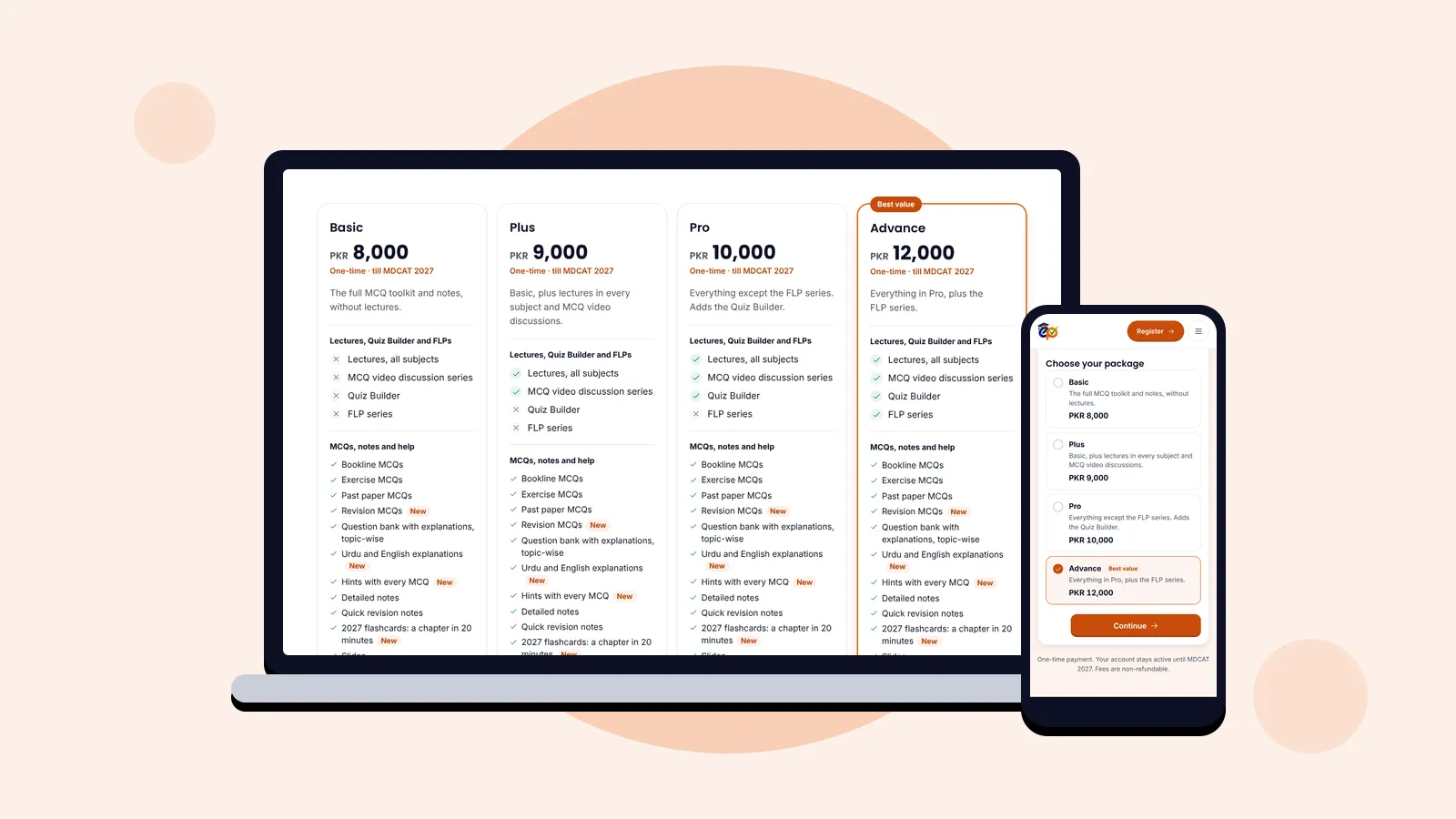
Who can use it: Wrong MCQs and smart revision are part of every ePrepare package, from Basic to Advance. Compare the packages.
Why your wrong MCQs are your most valuable questions
A question you answer correctly tells you very little; you already knew it. A question you get wrong points to one of three things: a gap in what you learned, something you learned and then forgot, or a habit (rushing, misreading, guessing) that costs you marks across many topics. Fixing any of these raises your score in a way that doing more random MCQs does not.
Two well-known learning principles explain why revising mistakes works so well:
- Retrieval practice: answering a question from memory strengthens it far more than reading the answer again. That is why ePrepare makes you re-attempt your mistakes instead of only showing the key.
- Spaced repetition: memory lasts longer when you revise just as it starts to fade, with longer gaps each time. Smart revision uses gaps of 1, 3, 7 and 14 days for exactly this reason.
Wrong MCQs at a glance
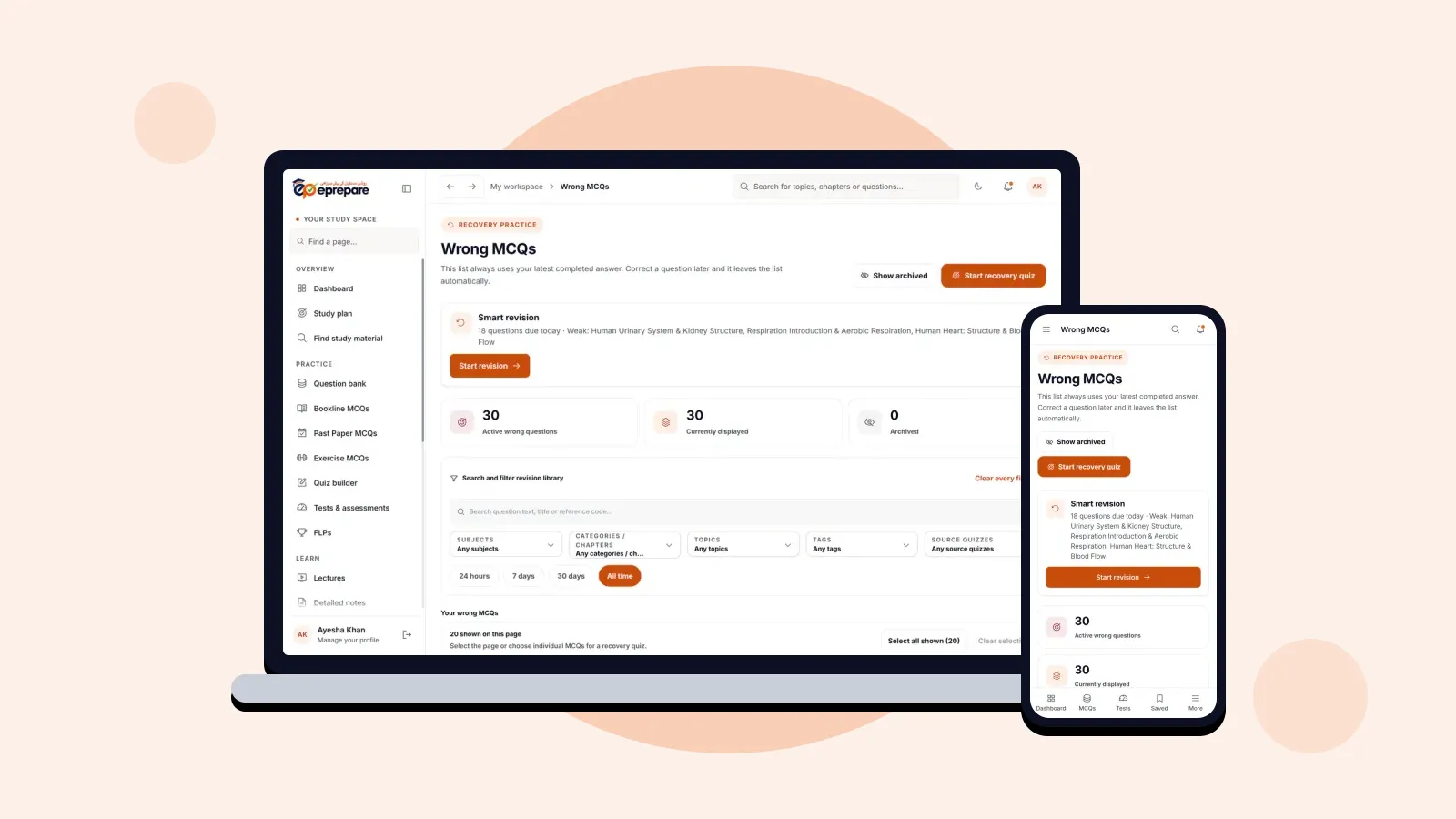
Open Wrong MCQs from the menu (under Revise) or from the tile on your dashboard. Every question you answered wrong in a completed test or practice session is already here; you never have to save it yourself.
The list always uses your latest completed answer. If you later answer a question correctly, it leaves the list on its own, so what you see is always what still needs work.
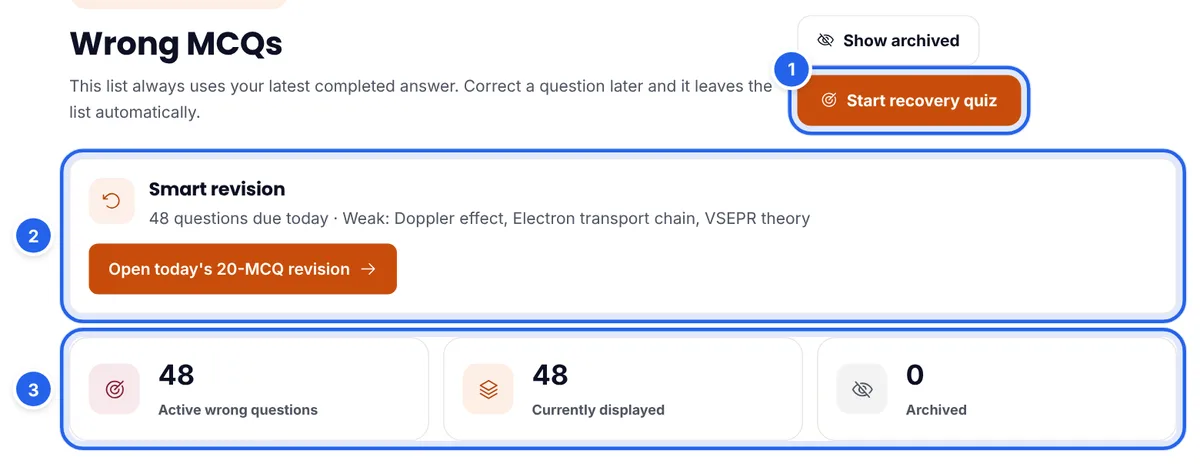
- Start recovery quiz (1) turns your wrong MCQs into a practice quiz in one tap.
- Smart revision (2) shows how many questions are due today and which topics are weakest, with a button to start today's set.
- The counters (3) show your active wrong questions, how many match your current filters, and how many you have archived.
Step 1: Find the right mistakes fast
After a few weeks of practice your list will be long. Revising all of it at once is overwhelming, so narrow it down to what matters today.
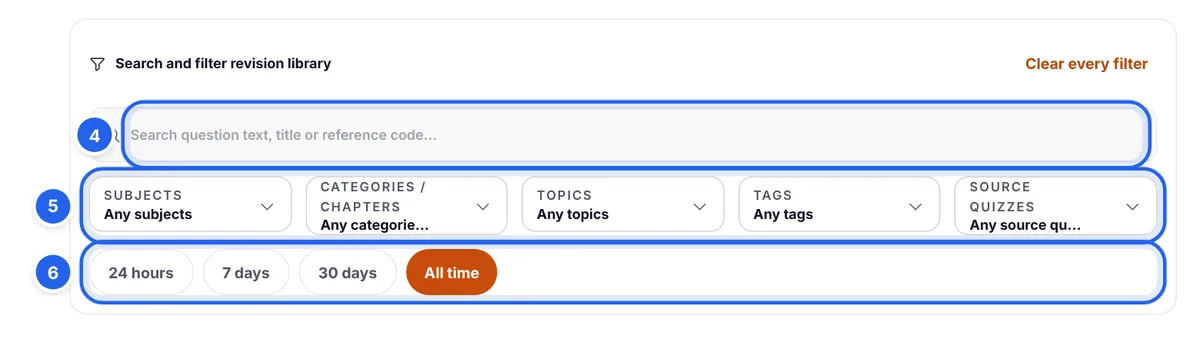
- Search (4) by words in the question, its title or its reference code.
- Filters (5): choose subjects, chapters, topics, tags or the quiz the mistake came from. Use several at once, for example Biology and only the Enzymes chapter.
- Time range (6): 24 hours shows today's mistakes, 7 days this week's, and so on. Use 24 hours straight after a test, when the question is still fresh in your mind.
Step 2: Read each mistake properly
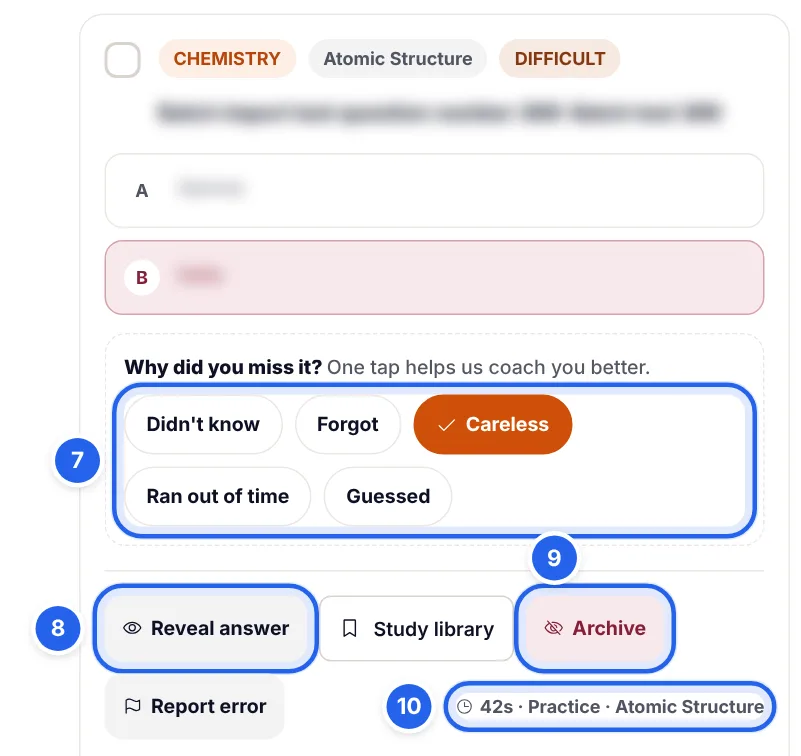
Each wrong MCQ appears as a card with its subject, chapter and difficulty, your chosen option marked in red, and a few tools underneath.
- Try it again in your head first. Before you reveal anything, decide which option you would pick now and why.
- Press Reveal answer (8) to see the correct option and its explanation. Read the explanation even if you guessed right this time.
- Tag why you missed it (7). One tap is enough: Didn't know, Forgot, Careless, Ran out of time or Guessed. These tags build your "Why you lose marks" report (more on that below) and help ePrepare coach you.
- Check where it came from (10): how long you spent on it and which quiz it was in. Seventy seconds on a simple recall question is a sign you were unsure.
- Archive (9) only questions you are sure no longer need practice, for example an MCQ you now understand completely. Archiving hides it from the list; an Undo appears for a few seconds, and Show archived brings archived questions back at any time.
The Study library button saves the question to a folder or turns it into a flashcard, which is useful for facts you keep forgetting. Report error tells the academy if you believe a question or its key is wrong.
What each reason tells you, and what to do
| Reason | What it usually means | What to do |
|---|---|---|
| Didn't know | The topic was never learned properly | Watch the lecture or read the notes first, then practise the topic |
| Forgot | You learned it, but it faded | Smart revision, flashcards and quick revision notes |
| Careless | You misread the question or slipped in a calculation | Slow down, underline words like NOT and EXCEPT, check units |
| Ran out of time | You know it, but not fast enough | Timed practice, about a minute per MCQ |
| Guessed | You were unsure between options | Revise the concept behind the options, not just the answer |
Step 3: Build a recovery quiz from your mistakes
Reading mistakes is useful; answering them again is better. A recovery quiz puts your wrong MCQs back in front of you as a real test.
There are two ways to make one:
- From your filters: set the filters you want (say, Physics from the last 7 days) and press Start recovery quiz. ePrepare builds a quiz of up to 20 questions from what matches.
- From questions you choose: tick the box on individual cards, or press Select all shown (11) to tick the whole page.
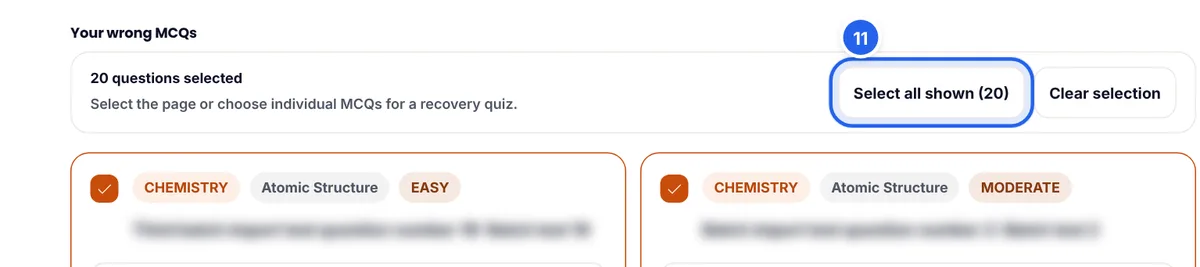
Once questions are ticked, the main button changes to Practice selected (12) with the number of questions. Press it to start.

Tip: every question you get right in a recovery quiz leaves your Wrong MCQs list automatically. Watching the counter drop is one of the most motivating things in MDCAT preparation.
Step 4: Let smart revision plan your daily review
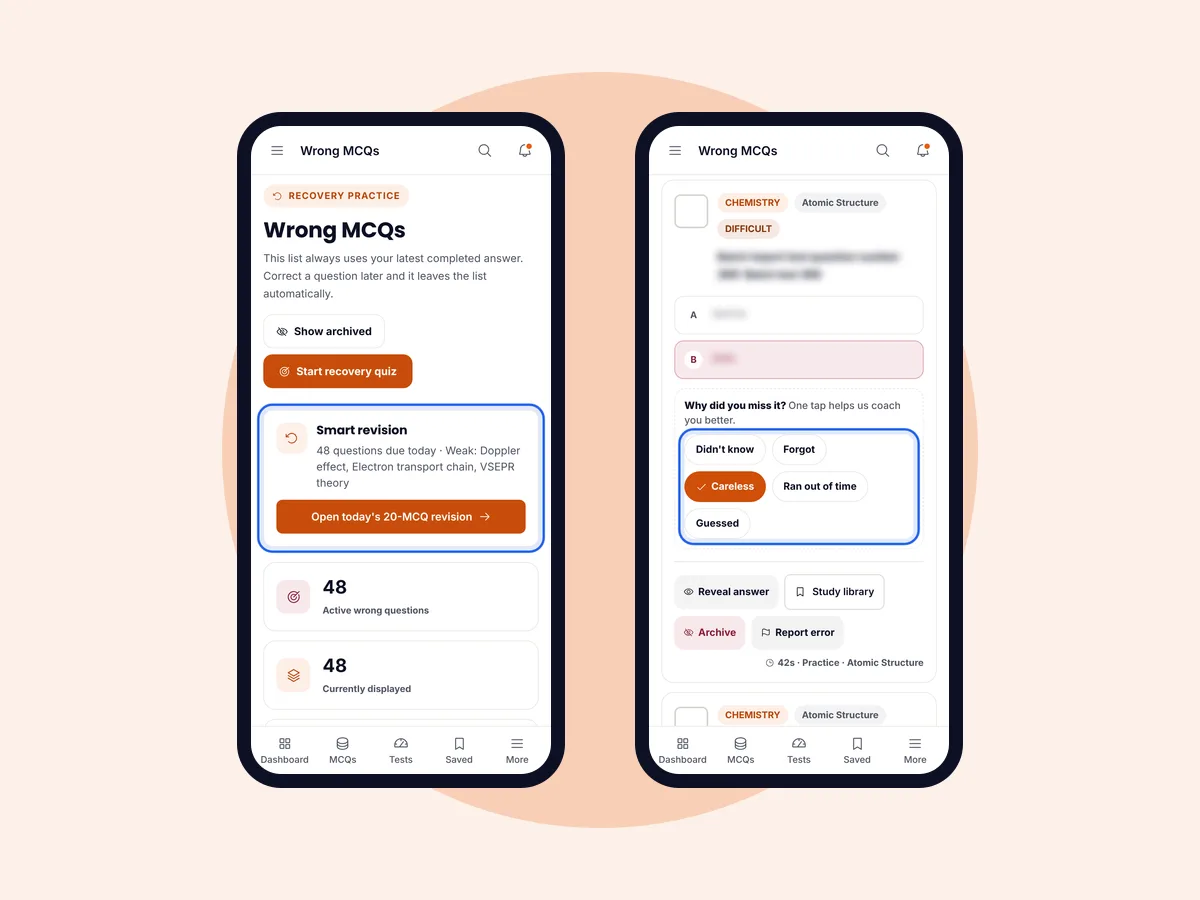
A recovery quiz is something you choose. Smart revision is a daily set ePrepare builds for you, so you never have to decide what to revise. You will find the card on the Wrong MCQs page and on your dashboard. It tells you how many questions are due today and names your weakest topics. Press Start revision.
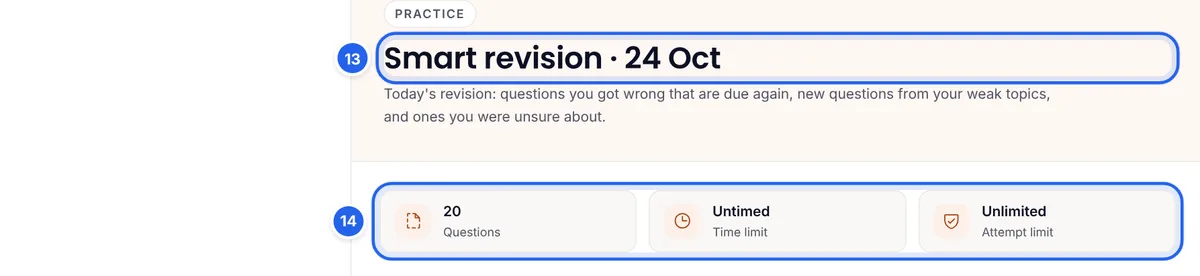
Today's set (13) has up to 20 questions and starts untimed (14), so you can focus on accuracy. It is built from three sources:
- About half: wrong questions that are due again. Each mistake comes back 1 day after you got it wrong. Answer it correctly then and it returns 3 days later, then 7 days, then 14. Get it right at the 14-day step and it counts as recovered. A new mistake on the same question starts the schedule again.
- About 30%: new questions from your weak topics, so you practise the idea behind the mistake, not just the same MCQ.
- About 20%: questions you were unsure about, the ones you tagged Guessed and correct answers that took you much longer than usual in the last 30 days.
There is one set per day. Once you start it, the card changes to Continue today's revision or Open today's revision, and when you finish it says a new one will be ready tomorrow. Smart revision needs some history to work with, so it appears after your first completed test.
Why the spacing matters: answering a question correctly a minute after seeing the key proves very little. Answering it correctly one day, three days, a week and two weeks later proves you will remember it in the exam hall. That is why a correct answer given before a question is due does not move it forward.
Step 5: Read your "Why you lose marks" report
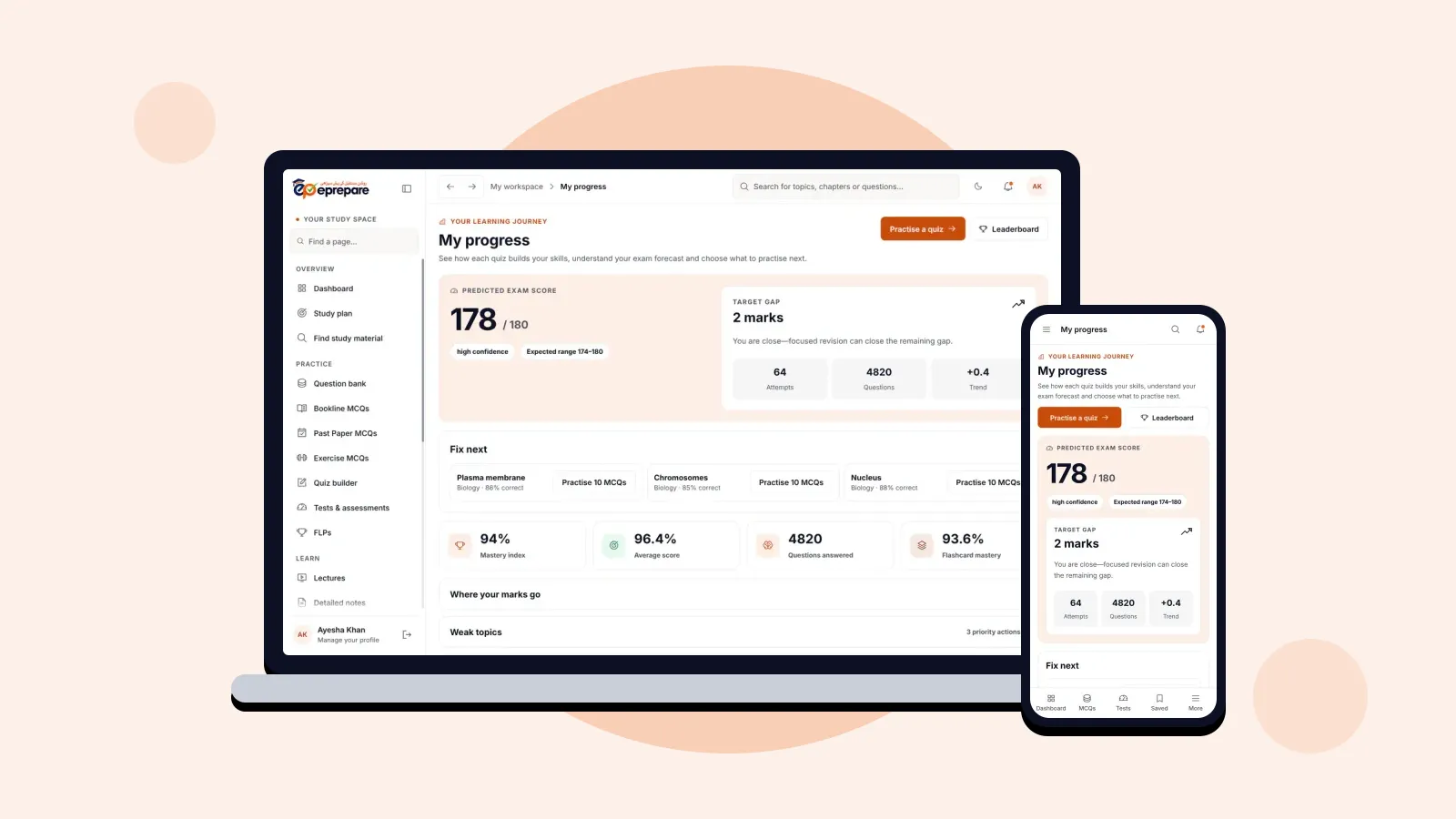
Every reason you tag adds up. Open My progress and expand Why you lose marks to see where your marks really go.
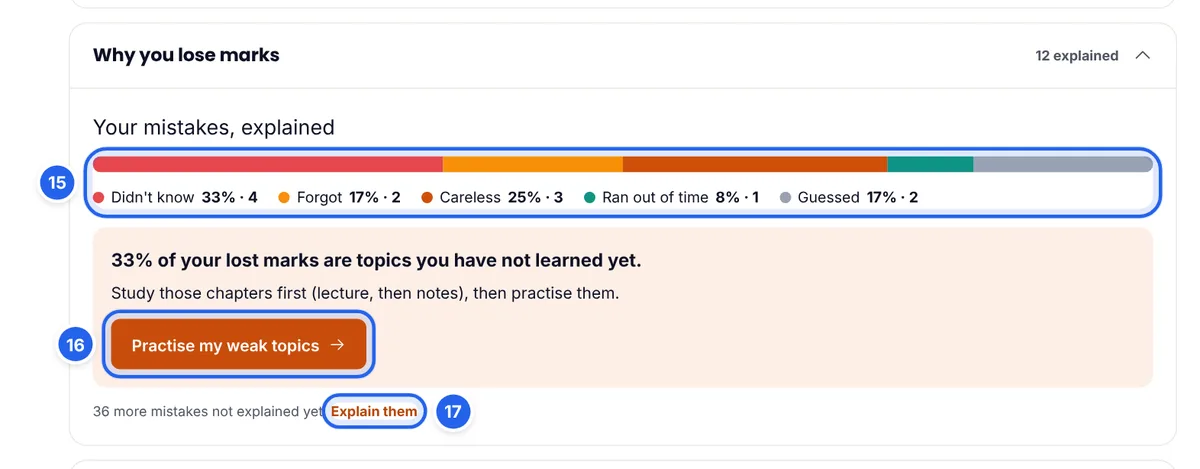
- The bar (15) splits your tagged mistakes by reason, with the percentage and the count for each.
- The advice box (16) picks your biggest reason and tells you what to do about it, with a button that takes you straight to the right practice.
- Explain them (17) shows how many mistakes you have not tagged yet. The more you tag, the more accurate the report.
If most of your lost marks are Didn't know, you need to learn chapters, not do more MCQs. If Careless is the biggest slice, your knowledge is fine and your exam technique needs work. That one insight can change how you spend your remaining weeks.
Revise on your phone
Wrong MCQs and smart revision work the same on a phone as on a laptop. Ten minutes of smart revision on the bus or between classes is a perfect use of time you would otherwise lose.
A simple routine for your mistakes
- After every test: open Wrong MCQs with the 24 hours filter, reveal each answer, read the explanation and tag a reason. It takes 10 to 15 minutes.
- Every day: finish your smart revision set. Do it before new practice, while you are fresh.
- Twice a week: a recovery quiz on one subject from the last 7 days.
- Once a week: check Why you lose marks and adjust your plan. Many Didn't know tags mean more lectures and notes; many Ran out of time tags mean more timed practice.
If you follow a study plan, smart revision fits around it. For a bigger mistakes-only test across several chapters, use the Quiz Builder with Previous activity set to Wrong.
Common mistakes to avoid
- Revealing the answer straight away. Always decide on an answer first. Recognising the key is not the same as knowing it.
- Skipping the reason tags. Without them, you cannot tell a knowledge gap from a careless habit.
- Archiving to make the number smaller. Archive only what you have truly mastered; let correct answers clear the rest.
- Doing smart revision only when you feel like it. The schedule works because it is daily. Missed days let questions pile up.
- Revising the same MCQ only. If you keep missing one idea, study the topic behind it, not just the answer to one question.
Frequently asked questions
Do I need to save wrong questions myself?
No. Every question you answer wrong in a completed test or practice session is added to Wrong MCQs automatically.
When does a question leave the Wrong MCQs list?
As soon as your latest completed answer to it is correct, or when you archive it yourself.
How does the smart revision schedule work?
A wrong question comes back 1 day later. Each correct answer on schedule pushes it to the next gap: 3, 7 and then 14 days. A correct answer at the 14-day step means it is recovered. Getting it wrong again restarts the schedule.
How many questions are in a smart revision set?
Up to 20, depending on how much is due. About half are due wrong questions, about 30% are new questions from your weak topics, and about 20% are questions you guessed or answered slowly.
Why don't I see smart revision yet?
It needs history to work with. Complete your first test and the daily set appears.
Which packages include Wrong MCQs and smart revision?
All of them: Basic, Plus, Pro and Advance.
Does archiving delete a question?
No. It only hides it from your list. Press Show archived to see archived questions and restore any of them.
Turn your next mistake into a mark
Your wrong MCQs are a personal list of exactly the marks you are losing. Revise them on time, understand why you missed them, and they become marks you keep. Start today: open Wrong MCQs, tag the reasons for your last test's mistakes, and finish one smart revision set. New to ePrepare? Register for MDCAT 2027, and read about every ePrepare feature and how it helps.